The first time you open a merchant's processing statement, it looks like a phone bill written by someone who didn't want you to read it. Line items you don't recognize. Fee categories that overlap. The one number that matters, the effective rate, is buried three pages in. This guide walks through how to read, calculate, and act on what's actually on the page.
A processing statement is the monthly record of what a merchant ran and what they paid for it. Every statement is laid out differently, but the same five blocks show up on all of them. Find these first.
Business legal name, DBA, MID, processor name, and the statement period. This tells you who the merchant is, which processor they're on, and the window you're measuring. The statement period matters the moment you start calculating monthly volume.
Total volume (gross sales), total transaction count, and average ticket. This is the top-line activity. Volume is the denominator in the effective rate. Transaction count matters because some fees are charged per transaction, not per dollar.
This is where most people get lost. Break it into four:
What actually hit the merchant's bank account. Total volume minus total fees minus chargebacks and reserves. If you ever want to sanity-check your fee math, this is the number you reconcile against.
The effective rate is the single most useful number on the statement. It collapses every fee, every tier, and every line item into one percentage you can compare across merchants. Here's how to calculate it.
Step 1. Find total fees. Add up every fee line item. Interchange, assessments, processor markup, and all the monthly and miscellaneous charges. Everything the merchant was charged.
Step 2. Find total volume. Use gross processing volume for the statement period. Not net deposits. Gross sales.
Step 3. Divide. Total fees divided by total volume. Express it as a percentage. That's the effective rate.
Step 4. Interpret it. The number only means something against a benchmark. Card-present retail usually runs 1.8% to 2.5%. Card-not-present e-commerce runs 2.5% to 3.5%. High-risk verticals can sit above 3.5%. These are rough ranges, not promises. If the merchant's rate is well above the benchmark for their category, there's margin to win. If it's already at or below, the opportunity is in specific fee categories instead.
One cross-check before you trust your number. Total fees should roughly equal total volume minus net deposits, adjusted for chargebacks and reserves. If the math doesn't reconcile, you missed a line item. Statements love to split fees across pages.
Most reps run into all three models. Each one shows up differently on the page, and the model tells you where the margin is and how hard it'll be to isolate.
The statement lists individual interchange categories, like Visa CPS Retail or MC Merit III, with the actual interchange rate plus a fixed markup. You can see exactly what the processor charges above cost. To find the margin, subtract the published interchange rate from the rate charged. The difference is the markup. This is the most transparent model.
Transactions get grouped into qualified, mid-qualified, and non-qualified tiers, each at a different rate. The problem is that you can't see the interchange underneath, and the processor decides which transactions land in which tier. This is where inflated interchange and bundled margin hide. Most experienced reps treat tiered pricing as a red flag for that reason.
One rate for every transaction, regardless of card type or method. Simple for the merchant. Common with aggregators and smaller processors. Easy to calculate, but it usually leaves margin on the table for card-present merchants running mostly debit.
Why it matters for your margin: on interchange-plus, the margin is visible and calculable. On tiered, it's baked into the tier structure and harder to isolate. On flat rate, it depends entirely on the merchant's card mix. Knowing the model tells you how to price the deal and where the savings actually are.
This is the part that separates a new rep from someone who's read a few hundred statements. These are the patterns that signal the merchant is overpaying or the current processor is padding.
Reading the statement is the work. Doing something with it is the point. Once you've gone through the page, four steps turn the analysis into a deal.
Summarize the findings. Effective rate, pricing model, total fees, and the red flags you spotted. This is the basis of your conversation with the merchant.
Calculate the savings opportunity. Compare the current effective rate against what you can offer. Factor in the model change if you're moving them off tiered onto interchange-plus. The savings you win at the quote is only the start. Revenue assurance is what keeps that margin from drifting back over the months after they board.
Build the quote. Put it side by side. What they pay today versus what they'd pay with you, using the same fee categories so the comparison is honest.
Prepare the talking points. Your red flags are your talking points. "55% of your transactions are landing in non-qualified. On interchange-plus, those same transactions cost you less." Specific findings persuade. When the merchant says yes, the next step is underwriting automation to get them approved and boarded.
Everything above is real work, and it's worth knowing how to do by hand. Done carefully, reading a statement, calculating the effective rate, spotting the red flags, and building a quote takes 20 to 45 minutes. For a rep working five to ten statements a day, that's half the day on analysis instead of selling.
Upload a merchant statement to Gratify's Statement Analyzer. Full fee breakdown, effective rate, risk flags, and a quote you can send. No signup required.
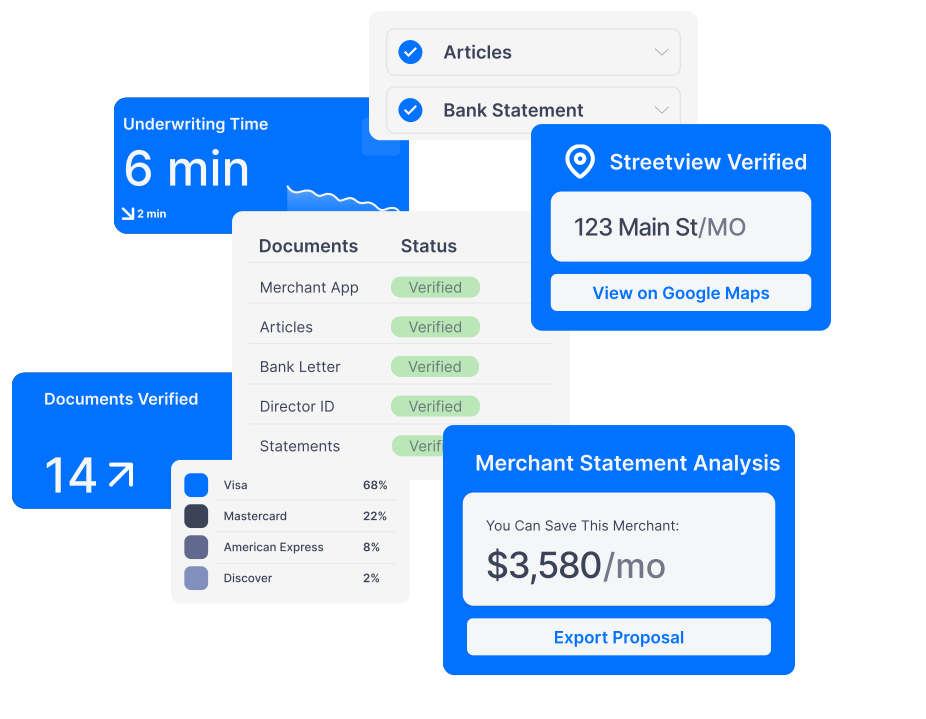
Analyze a StatementGratify's Statement Analyzer does the same analysis in about a minute. Upload the statement. It identifies the processor with processor-specific adapters, decomposes the fees into five categories, flags risk items with severity tiers, benchmarks the effective rate against MCC data, and generates a quote on your ISO-branded template. The tool doesn't replace the knowledge. It replaces the time.

It identifies the processor (TSYS, Fiserv, Worldpay, Paynuity, and others), decomposes the fees into five categories, and flags risk items with severity tiers, benchmarked against MCC data.
Not every deal starts with a clean PDF. Enter volume, fees, and transaction count to get an estimated analysis and a quote your rep can send.